POSE × OUTFIT × AI
Change a pose and outfit with AI
Combine one subject image with a pose, viewing angle and outfit from PoseWeave’s libraries. See a real example and explore a new AI-generated look.
Open the studioREAL EXAMPLE / 2026.10.30
A real example: from seated to standing
This image was generated on October 30, 2026 with an earlier production version of PoseWeave. It is one result, not a promise of how the current service will perform.
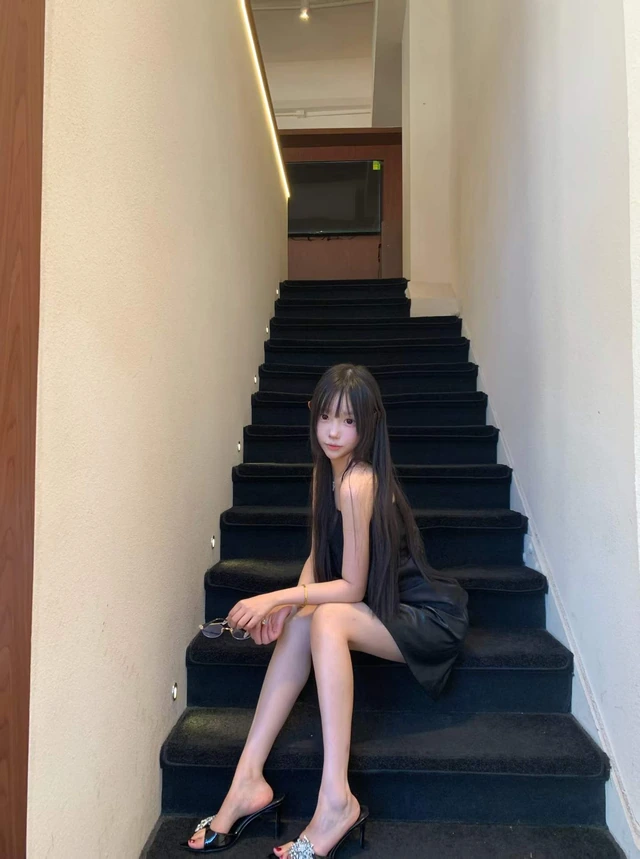
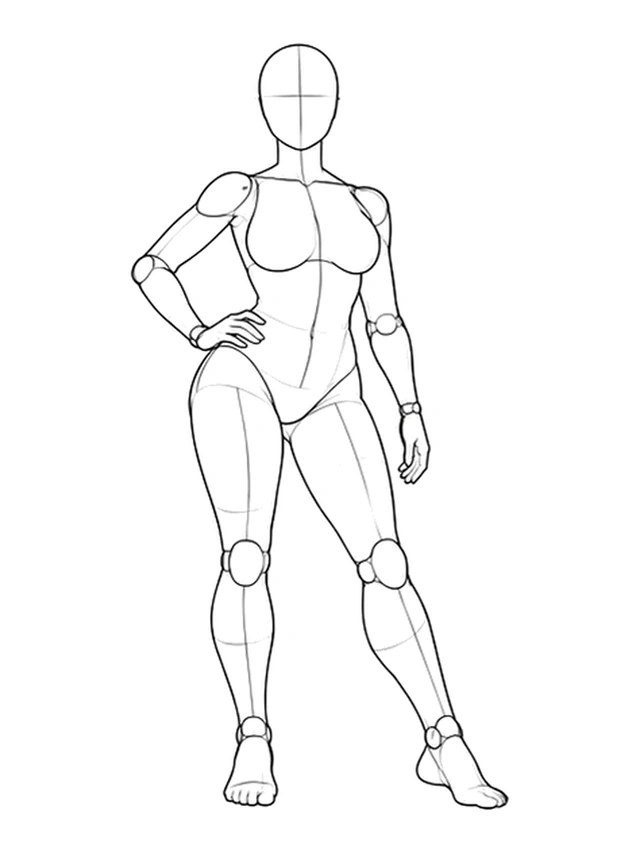
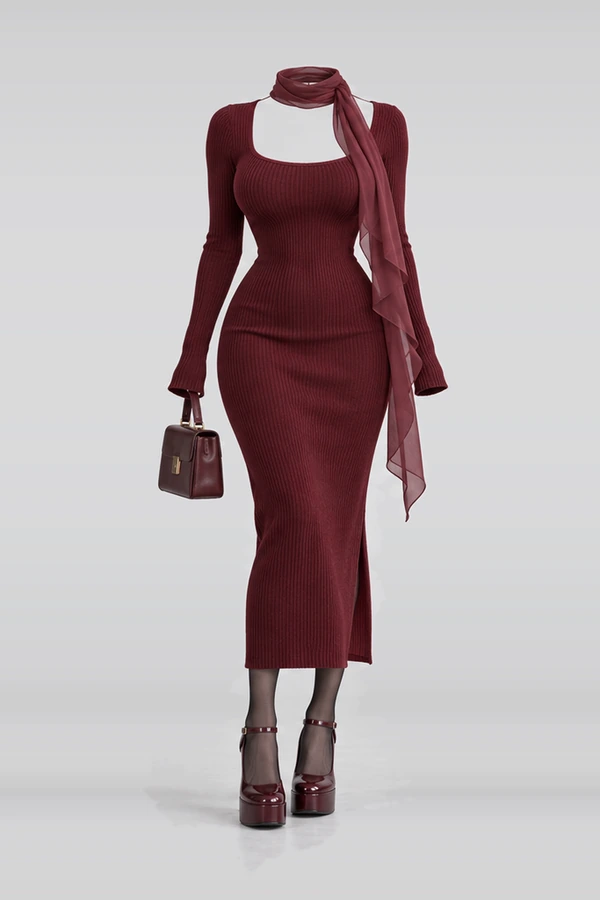
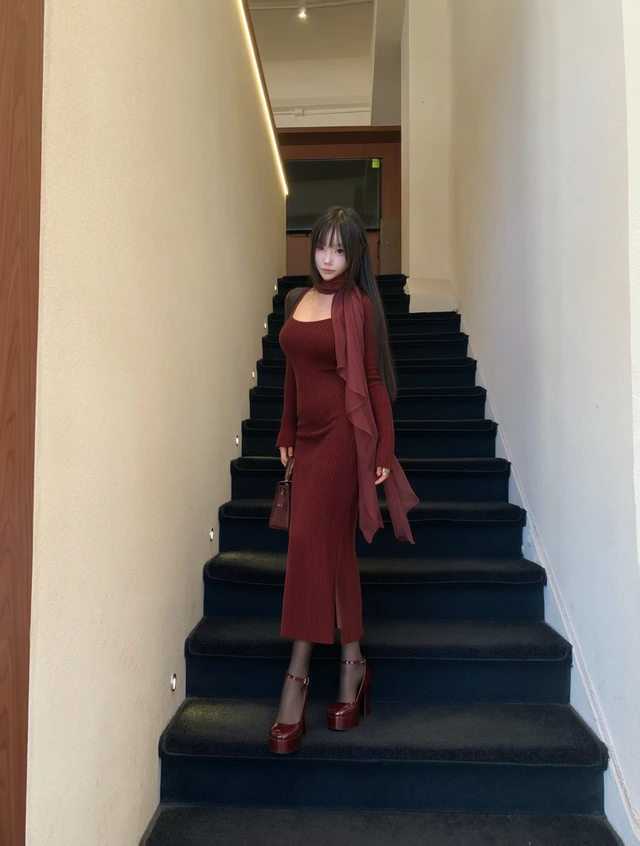
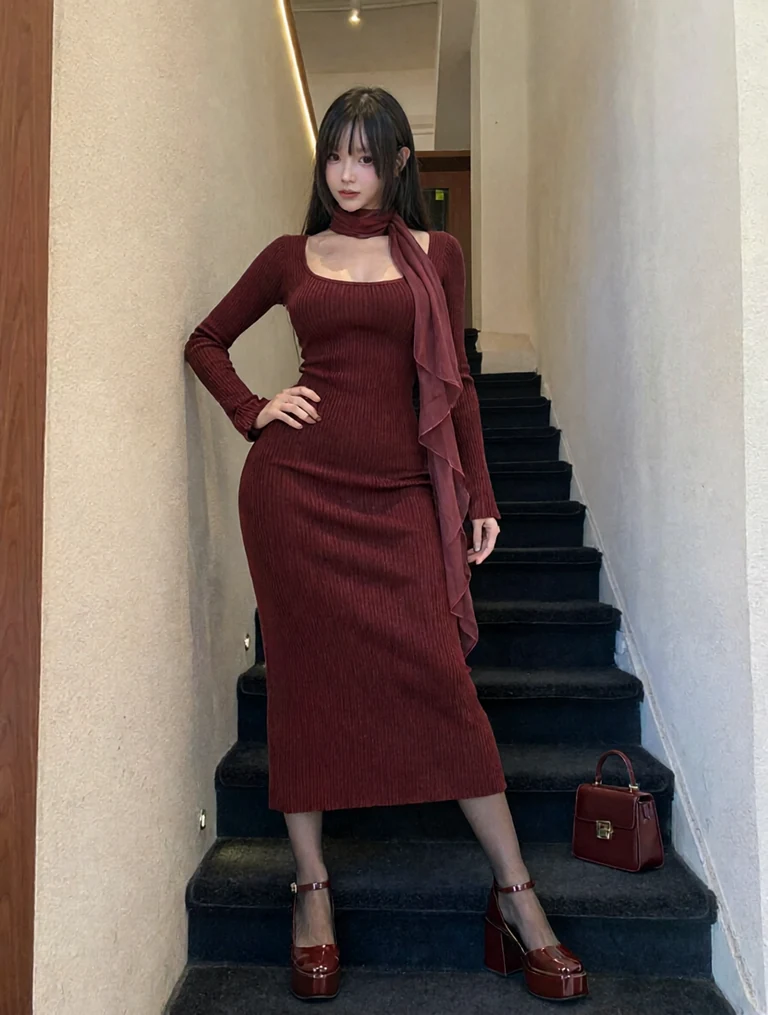
The output changed the seated subject to a standing pose and included a dark red knit dress, scarf and handbag. The pose reference shows a hand at the waist, which the output did not reproduce. Compare the details: results can vary by image, reference and generation.
01 / HOW IT WORKS
How it works
- Sign in with a Google account with a verified email before uploading and generating.
- Choose one subject image you have the right and permission to use, or use a sample if one is available.
- Choose a single-person pose and an available viewing angle from the library.
- Select an outfit from the library. Both a pose and an outfit are required for every generation.
- Generate one image, review it at full size, and download it if it suits your needs.
One subject, a new combination
Visual references make it easier to explore a different pose and outfit without describing every detail in words. Select the available references in the studio and review your choices before generating.
Each submission generates one image. The subject’s appearance, posture, viewpoint and outfit can differ from the references.
What to check in your result
Compare the generated image with all three references. Check the face, hands, camera angle, clothing colors and accessories. Some combinations may change the framing or miss details.
Treat the result as a creative image, not an exact reconstruction or a guarantee of how a garment will fit.
A small test: a seated pose and spring outfit
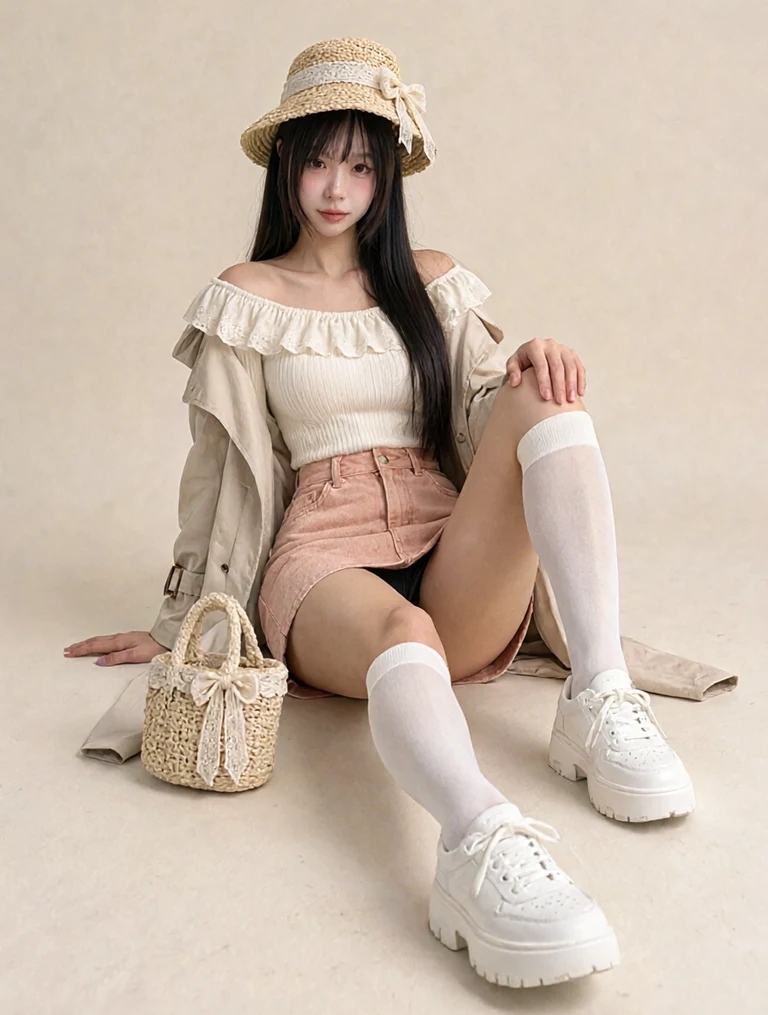
In an isolated October 2026 test with an input portrait, a seated pose reference and a spring outfit, the output showed a seated position with one hand supporting the body and one leg extended. The coat, skirt, hat and bag were recognizable in that result.
This was one manually reviewed result from an isolated test, not a guarantee of today’s production output. Leg proportions and perspective still needed closer review. Check the face, pose and outfit together in your own result.
Before you start: sign-in and credits
Sign in with a Google account whose email is verified. Each successfully delivered image currently costs 30 credits; failed generations release their reserved credits. Check the Pricing page for current credit packages and applicable taxes.
Choose one subject image you have permission to use. Pose and outfit references are chosen from the libraries, and both are required for each generation.
Common questions
Can I change only the pose or only the outfit?
The current workflow requires both a pose and an outfit from the libraries. It does not promise to preserve the original outfit or pose unchanged.
Can I upload my own pose or outfit reference?
Not currently. Pose and outfit references are selected from the available libraries.
Can I generate an image of two people?
The current generation workflow supports one subject. Two-person pose groups are not available for generation.
When is my subject image uploaded?
Selecting a file first shows a local preview in your browser. The image is uploaded when you submit a generation.
Does a generation cost credits?
Yes. Each successfully delivered image currently costs 30 credits. Failed generations release their reserved credits. See Pricing for current packages and any applicable taxes.
View pricing and credit packages
Open the studioPose and outfit inspiration